Android Developer Verification Is Live: What It Means for Your Closed Test (2026)
Android developer verification went live on September 30, 2026 in Brazil, Indonesia, Singapore and Thailand. If you are a new developer in the middle of a closed test, here is what is automatic, what you still need to check, why a free 20-device account is not a shortcut around the 12 testers rule, and what changes when this goes global in 2027.
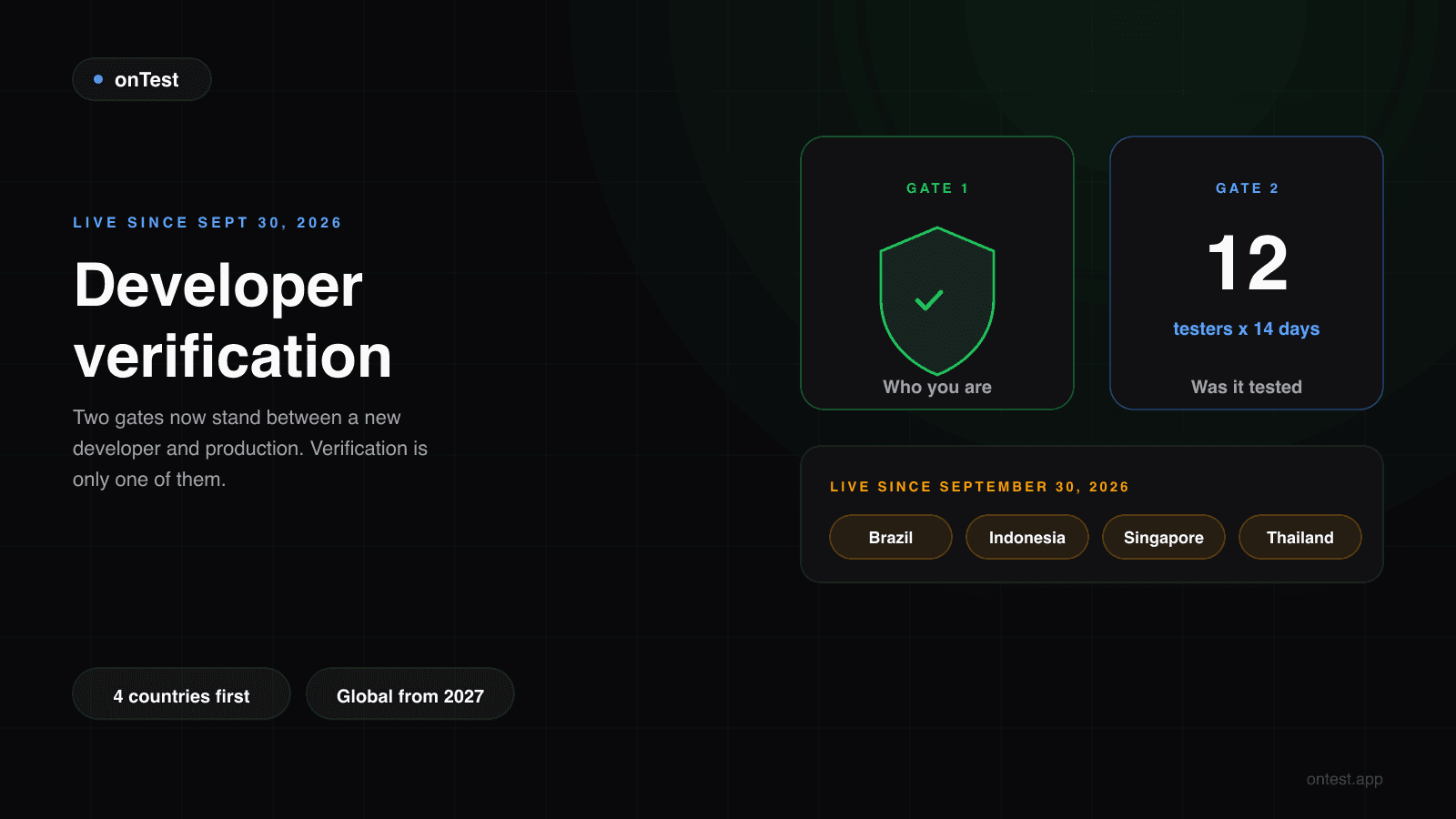
TL;DR: Since September 30, 2026, certified Android phones in Brazil, Indonesia, Singapore and Thailand only install apps from developers whose identity is verified and whose package names are registered. If you publish on Google Play, most of this already happened for you: Google says 99% of Play apps were registered automatically, and every new app you create in Play Console is registered the moment you create it. Your job is to open the Play Console home page and clear any registration notice. What verification does not do is replace the 12 testers, 14 days requirement. They are two separate gates: one checks who you are, the other checks whether your app was tested. The free "limited distribution" account (20 devices) works only outside Google Play and gets you no closer to production.
If you're on day 6 of a closed test right now, this week's headlines probably raised two questions: does developer verification change anything for me, and do I have to start over?
No, and no. But the confusion makes sense. For a year, "verification" on Google Play meant proving your identity to open a developer account. Now there is a second, Android-wide verification that decides whether a phone will install your app at all, and the two words got blurred in every headline.
Here is the whole thing from the point of view of someone who just created a personal account and is somewhere in the middle of closed testing.
What Changed on September 30, 2026
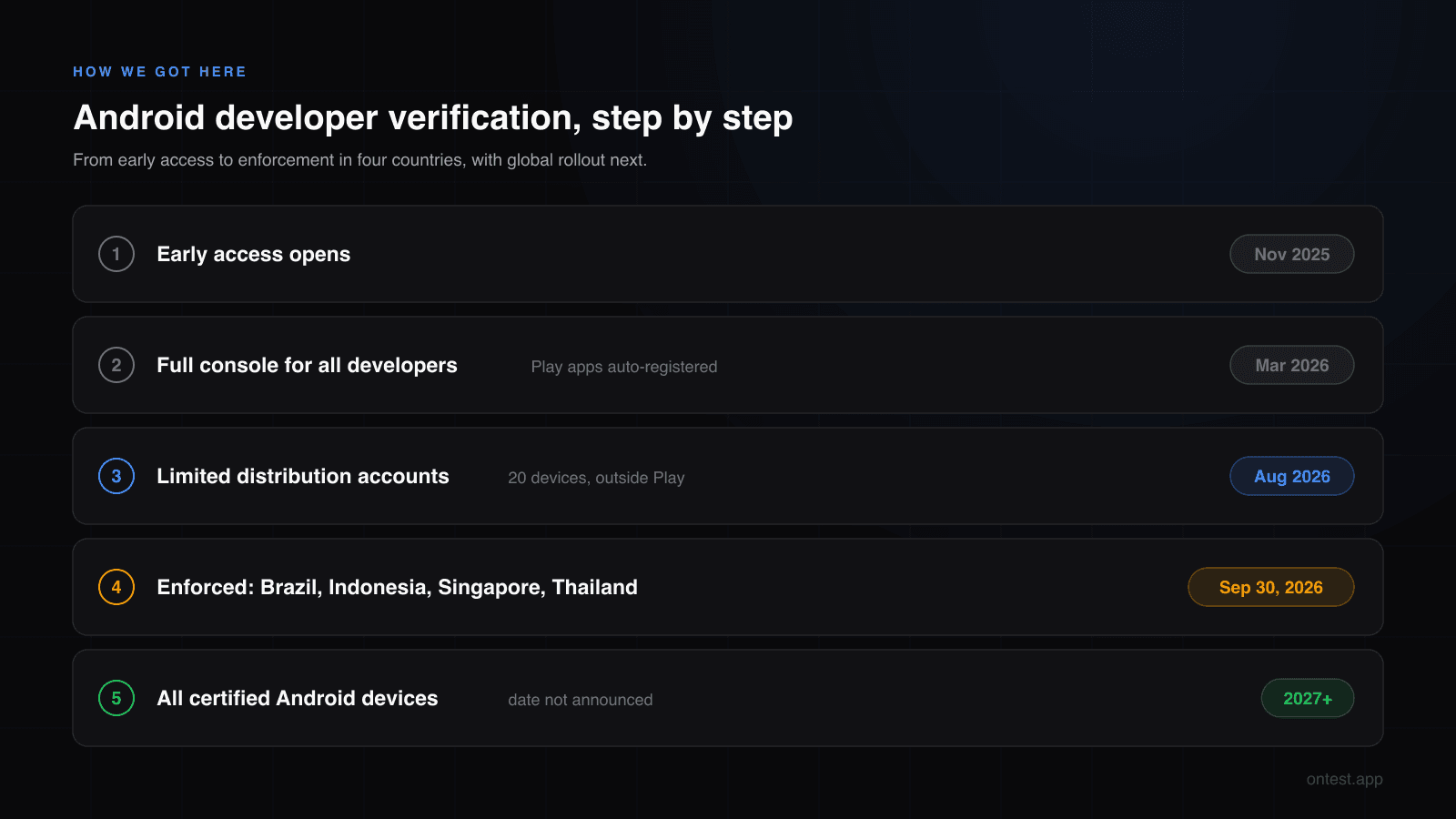
Google's developer verification page describes the scope in one sentence: the protections begin for users installing apps from participating stores (Google Play, HONOR App Market, OPPO App Market, Galaxy Store, Palm Store, V-Appstore and GetApps) in Brazil, Indonesia, Singapore and Thailand, on certified devices running Android 7 and up.
In those four countries, an app from a developer who has not completed verification is no longer available for new installs on certified devices. Existing installs are not the target. New installs are.
Two things make this matter even if you have no users in those countries:
- Google Play enforces registration globally. The Play Console guide says: "By September 30, 2026, register any remaining apps you want to continue distributing to avoid global removal from Google Play." Unregistered Play apps are not just blocked in four countries. They can be removed from Play everywhere.
- It goes global next. Google's timeline says "2027 and beyond" for all certified Android devices. No exact 2027 date has been published yet.
Two Gates, Not One
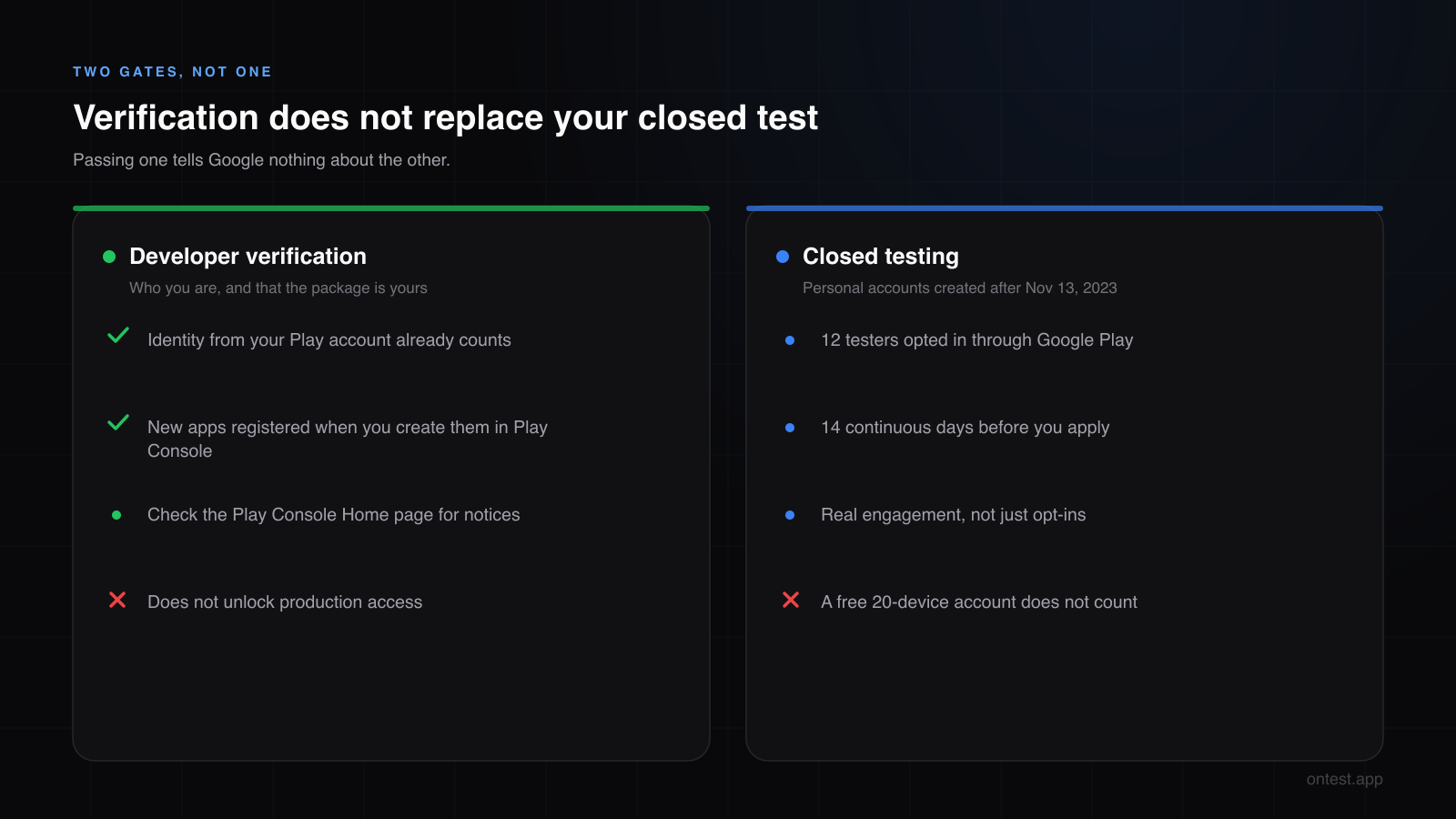
This is the part that got lost in the news coverage. A new personal developer now passes through two completely different checks:
| Developer verification | Closed testing (12 testers, 14 days) | |
|---|---|---|
| What it checks | Who you are, and that you own the package name | That your app was really tested before launch |
| Who it applies to | Every developer distributing to certified Android devices | Personal Play accounts created after November 13, 2023 |
| When | Before users can install your app (enforced in 4 countries since September 30, 2026) | Before you can apply for production access |
| Where you handle it | Play Console (mostly automatic) | Play Console closed testing track, with 12 real testers |
| Cost | Included in your $25 Play registration | Your time, or a testing service |
Passing one tells Google nothing about the other. A verified developer with an untested app still sees "Apply for production" greyed out. A developer who ran a perfect 14-day test still needs the package name registered to stay on Play.
If You Publish on Google Play: What's Automatic
For Play developers, Google did most of the work.
Identity: "For most Play developers, no new action is required for identity verification. Your existing verified identity (such as for Play's developer verification requirements) meets this requirement." The ID check you did when you opened your personal account counts. You can confirm your details under Settings > Developer account in Play Console.
Existing apps: "While 99% of apps on Play have been registered automatically using information you have already provided, you should check your Play Console Home page."
New apps: "For new apps, when you create an app in the Google Play Console, Google Play automatically registers the package name and links it to your account." If your closed test is running, your app was created in Play Console, so its package name is already registered to you.
One catch for new apps: if another developer already registered the same package name (for example, it was distributed outside Play before), Play Console asks you to choose a different one. That's easy to fix before your first upload and painful after, so pick a package name that is clearly yours (com.yourname.appname, not com.example.notes).
What You Still Need to Check
Open Play Console and look at the Home page. If any app needs manual registration, there is a notice there. Manual registration is the 1% case, usually apps whose signing keys are ambiguous, and Google may ask you to prove you own the private signing key. The flow, per Google's Play Console Help, is to choose your app's public certificate, add the key, then sign and upload an APK containing a snippet Google gives you.
If your Home page shows no registration notice, you're done. There is nothing to submit and nothing to wait for.
Limited Distribution: 20 Devices Is Not 12 Testers
Since August 2026, Google offers a free limited distribution account through the Android Developer Console, aimed at students, teachers and hobbyists. It lets you share an app with up to 20 devices without a government ID or a registration fee.
I've already seen this described on forums as "the free way around closed testing." It isn't, for three reasons:
- It is not Google Play. Google describes the Android Developer Console as being "for developers distributing apps exclusively outside of Google Play." Nothing you do there shows up in Play Console, and nothing counts toward production access.
- 20 authorized devices are not 12 opted-in testers. Closed testing measures people who opt in to your Play test and use the app for 14 days. Authorizing a device to sideload your APK is a different mechanism entirely.
- You can't switch plans later. Google's help says "You can't change your plan once your Android Developer Console account has been created." It's built for sharing a hobby project with friends, not as a first step toward Play.
If your goal is a Play Store listing, the path hasn't changed: set up a closed test, get 12 testers who are actually active, and keep them for 14 days.
Do Your Closed Testers Need to Do Anything?
No. Your testers install your app from Google Play through the opt-in link, and your app was registered to you when you created it in Play Console. Nothing about their side changes, including testers located in Brazil, Indonesia, Singapore or Thailand.
A caveat, stated honestly: Google's documentation talks about apps and installs in general and never mentions testing tracks specifically. This is my reading of it: a closed test is distributed by Google Play, from an app registered in Play Console, so it falls on the registered side of the line.
Where it could bite you is outside Play. If you've been handing testers a raw APK file (a common habit from beta days), those installs now go through the new verification checks on the tester's phone. For closed testing that was never the right method anyway: your testers have to opt in and install through Google Play for the test to count. Use the opt-in link.
What About Sideloading?
Sideloading still exists, with more friction. Google added an "advanced flow" that lets experienced users install apps from unverified developers, with extra security checkpoints meant to resist scammers who talk people into installing malware. Press reports describe steps like enabling developer options and a waiting period, though Google's own announcement doesn't spell out every step.
For a Play developer this is mostly background. It matters if you also distribute outside Play (a direct APK download on your website, for example). In that case, register your package there too through the Android Developer Console, because "just download the APK from my site" gets harder for your users in every country the rollout reaches.
What Happens in 2027
The four-country launch is a pilot. Google's timeline lists a global rollout for all certified Android devices "in 2027 and beyond." When that arrives, every Android user's phone will check verification, not just phones in four countries.
For Play developers the practical impact stays small, because Play registers your apps automatically. The developers who will feel it are the ones distributing outside Play without registering. If you're building an audience with a direct download today, plan for that.
A Checklist for New Personal Developers
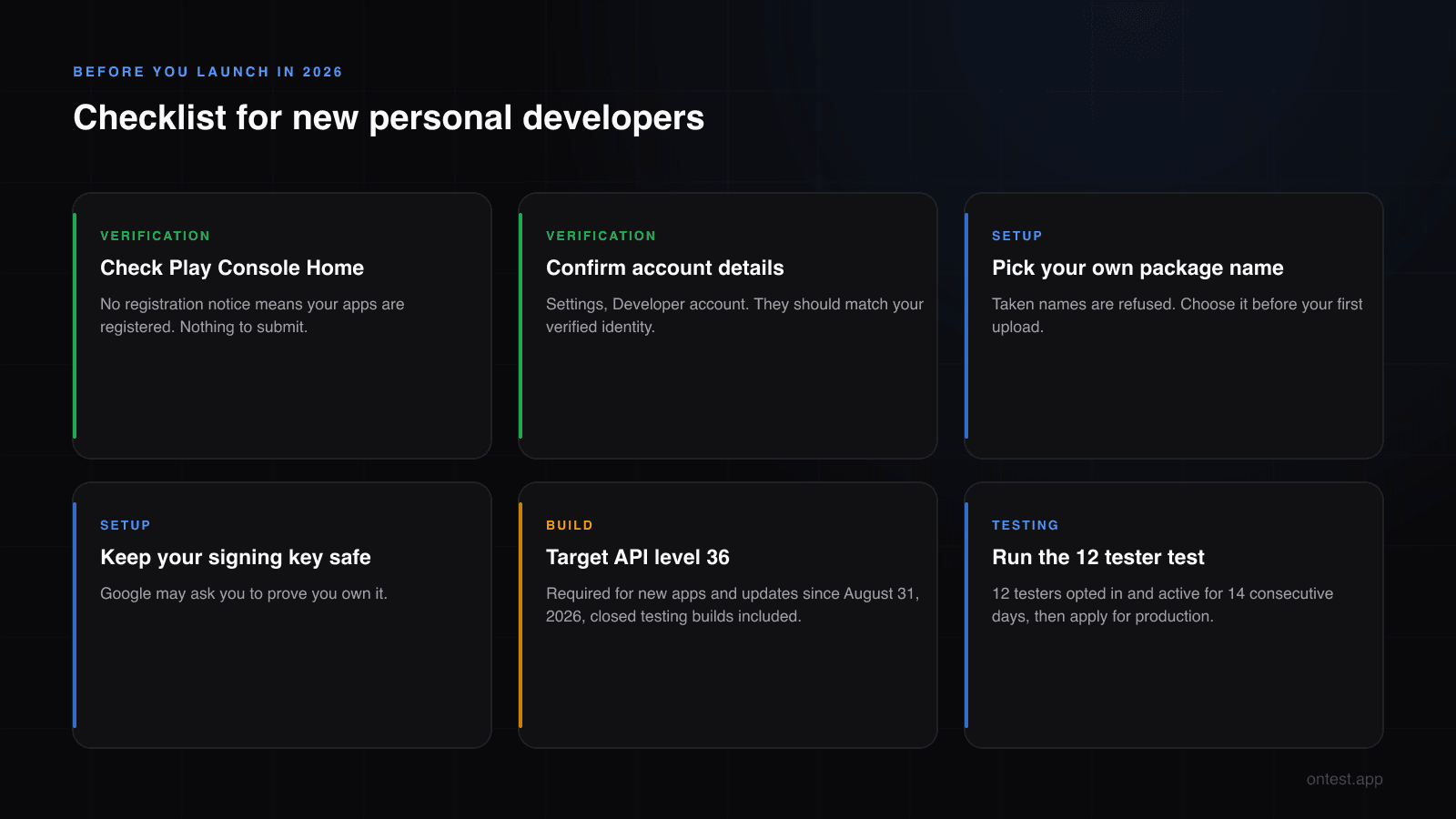
If you created your personal account recently and you're about to start (or are in the middle of) closed testing:
- Check your Play Console Home page for a registration notice. No notice means your apps are registered.
- Confirm your developer account details under Settings. They should match your verified identity.
- Choose a package name that is clearly yours before your first upload.
- Keep your app signing key safe. If Google ever asks you to prove ownership, you need it.
- Target API level 36. Since August 31, 2026, new apps and updates must target Android 16 to be submitted, and that includes the build you upload for closed testing. Here's how to handle API 36 in closed testing.
- Keep your closed test on track: 12 testers opted in, active for 14 consecutive days, then apply for production.
Verification is the gate that tells Google who you are. The closed test is still the gate that decides when you launch. If the second one is where you're stuck, that's the problem onTest was built to solve.
Frequently Asked Questions
Do I need to verify again if my Play Console account is already verified?
For most Play developers, no. Google says your existing verified identity from Play's account verification meets the new requirement. Check that your details are current under Settings > Developer account.
Is my new app registered automatically?
Yes. When you create an app in Play Console, Google Play registers the package name and links it to your account. If another developer already holds that name, Play Console asks you to choose a different one.
Does developer verification replace the 12 testers, 14 days requirement?
No. Verification confirms your identity and package ownership. The closed testing requirement still applies to personal accounts created after November 13, 2023: at least 12 testers opted in for 14 continuous days before you can apply for production access.
Can I use a free limited distribution account instead of closed testing?
No. Limited distribution accounts are for distributing outside Google Play to up to 20 authorized devices. They don't create a Play listing and don't count toward production access.
What happens to apps that are not registered by September 30, 2026?
Google warns that unregistered apps can be removed from Google Play globally, and apps from unverified developers are unavailable for new installs on certified devices in Brazil, Indonesia, Singapore and Thailand.
Will my testers in Brazil or Indonesia be blocked from installing my closed test?
Not if they install through your Play opt-in link. Apps created in Play Console are registered automatically. Testers installing a raw APK outside Play go through the new checks, and those installs never counted toward closed testing anyway.
Does sideloading still work?
Yes, through an "advanced flow" with extra security steps for installing apps from unverified developers. It's aimed at experienced users, not at the general public.
When does developer verification apply worldwide?
Google's timeline says "2027 and beyond" for all certified Android devices. No exact global date has been announced yet.
Related guides
- Target API 36 in Closed Testing covers the other rule that changed this season, and the upload error it causes.
- Google Play's 12 Testers 14 Days Requirement Explained breaks down the gate verification doesn't replace.
- Personal vs Organization Google Play Account explains who owes the 14 days at all.
- How to Set Up Google Play Closed Testing: Step-by-Step is the next step once your app is registered.
- How to Get 12 Testers for Google Play Closed Testing compares every way to fill the 12 slots.
Seeing a registration notice you don't understand? Send a screenshot of your Play Console Home page to hello@ontest.app and I'll tell you what it means and what to do next.
Ready to ship your Android app?
Get 12 real testers for Google Play Closed Testing in 14 days.
Get Started