What Counts as an 'Active' Tester on Google Play? Opt-In vs Install vs Daily Usage (2026)
Google says 12 testers for 14 days — but 12 what, exactly? Opted in, installed, or actually using the app? Here's the three-level difference that decides whether your closed test passes, why Console shows 12 while Google sees 3, and how to fix the gap before it costs you a rejection.
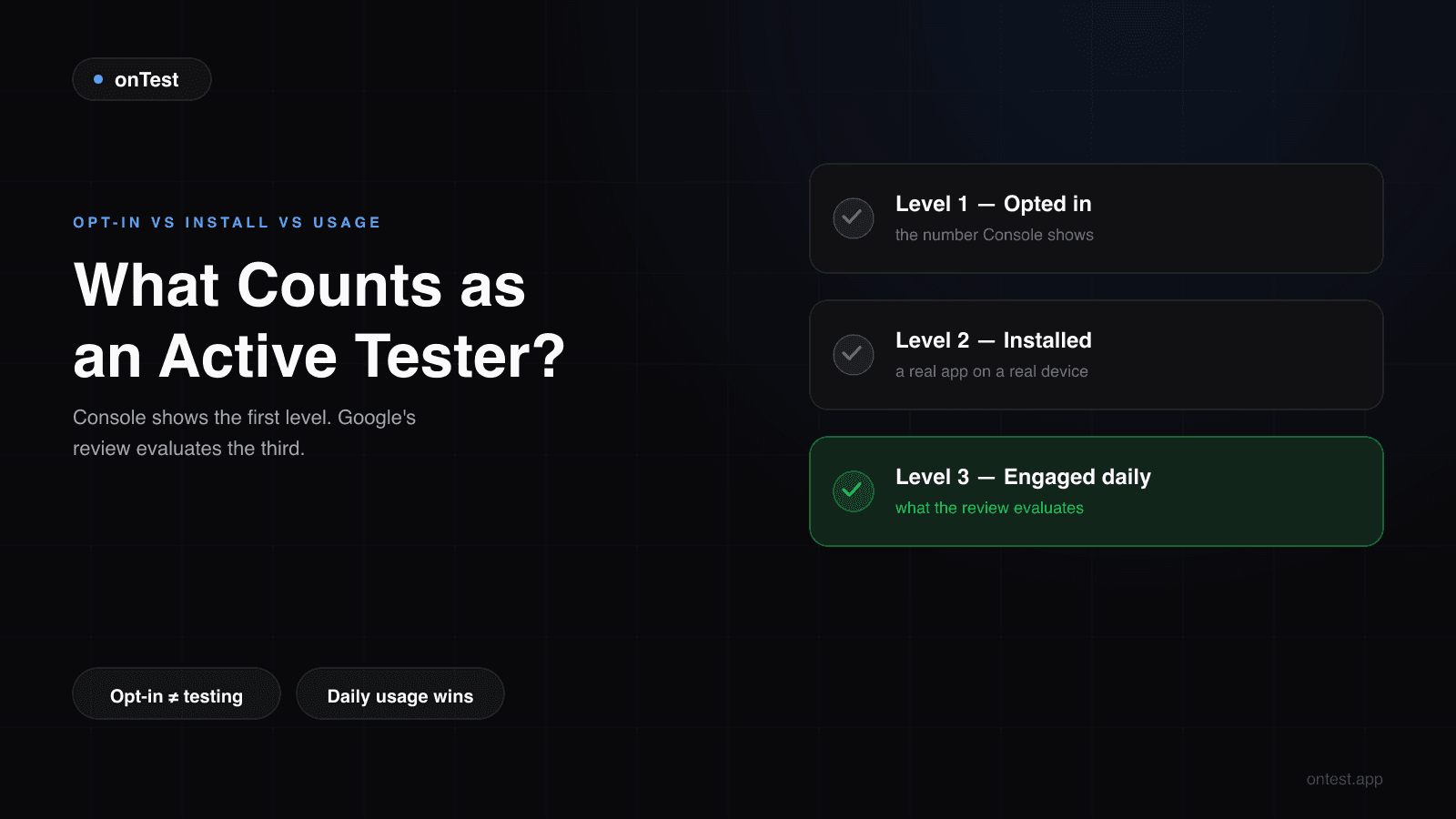
TL;DR: "12 testers" is measured at three different levels, and Play Console only shows you the first one. Opted in means they clicked "Become a tester" — this is the number Console displays and the formal requirement. Installed means the app is actually on their phone. Engaged means they open and use it across the 14 days — and this is the level Google's production access review actually evaluates. A test with 12 opt-ins and 3 genuinely active testers meets the letter of the rule and still gets "we need you to continue testing your app with real testers". This post explains each level, how to see which one your testers are really at, and how to close the gap.
The most expensive misunderstanding in the entire 12 testers, 14 days requirement fits in one sentence:
Play Console counts opt-ins. Google's review evaluates engagement. These are not the same number.
I learned the difference on my own launches — during Let it Rain's test, two of my "active testers" turned out to have flat-zero engagement since day 2, invisible in the headline count — and I've since watched the same surprise land on dozens of developers who email onTest the day their rejection arrives. Their Console said 12. Google's reviewers saw something else.
Here are the three levels, from weakest to the one that actually gets you approved.
Level 1: Opted In — What Play Console Counts
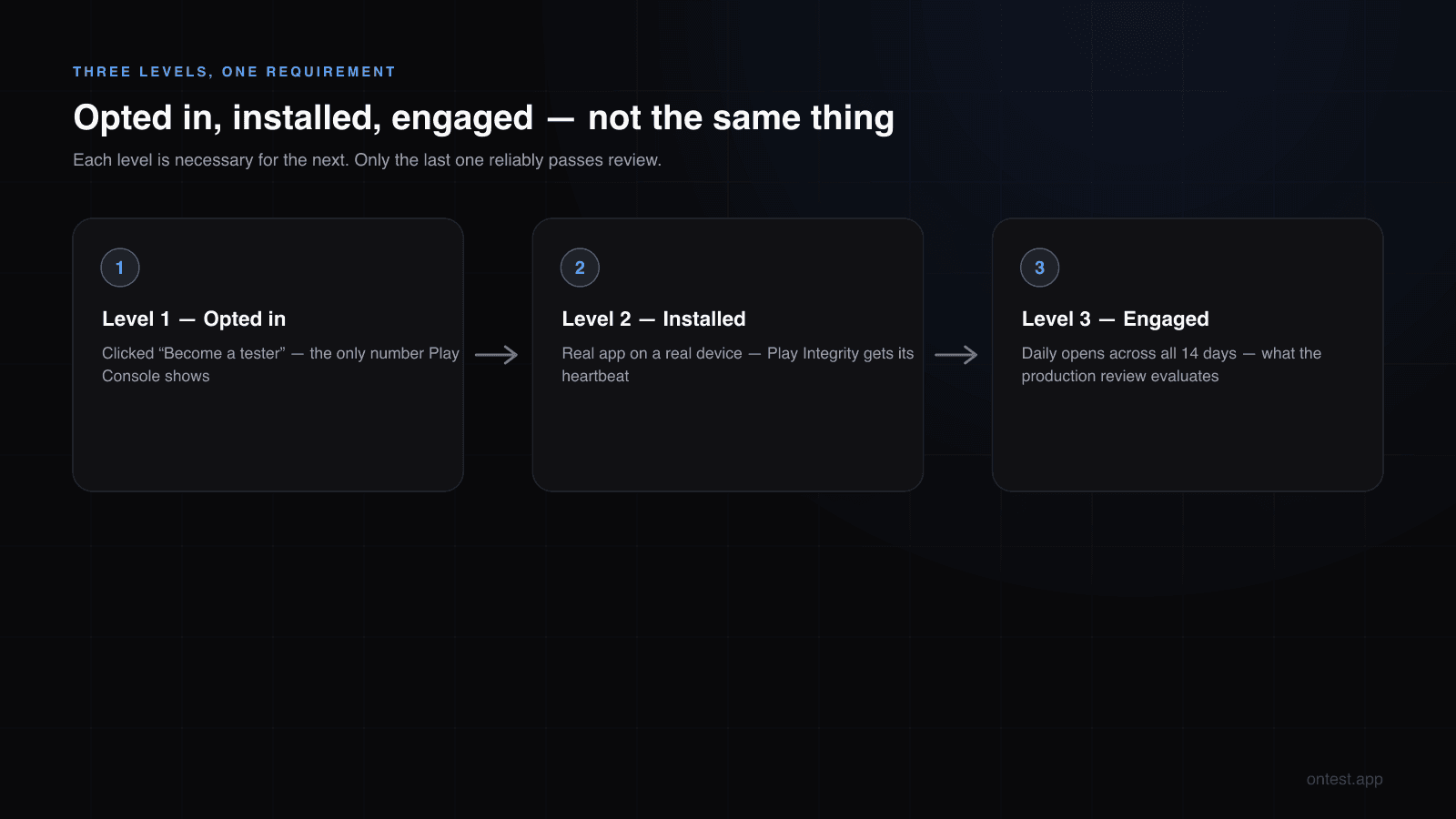
An opted-in tester has clicked your opt-in link while signed into the Google account you added, and tapped "Become a tester." That's the whole event. It takes eleven seconds, requires no phone in hand, and doesn't even require installing the app.
This is the number Play Console shows on your closed testing track, and it's the number the formal requirement is written against: at least 12, opted in, for the last 14 consecutive days.
What "opted in" does not tell you:
- Whether the app was ever installed
- Whether it was ever opened
- Whether the tester still remembers your app exists
An email address in your tester list that never clicked the link isn't even Level 1 — it's Level 0, and it's why "I added 12 emails" and "I have 12 testers" are different claims. The Console count is the only count.
Level 2: Installed — Necessary, Still Not Sufficient
An installed tester opted in and downloaded your app from the Play Store with the same Google account. Now there's a real app on a real device, generating at least a heartbeat of signal: device model, Android version, Play Integrity attestation.
This is where fake-tester operations stall. A Fiverr seller can get emails to click a link; getting 12 real devices to install and hold an app is harder — which is why emulator farms and batch opt-ins are their shortcut, and why Google detects both.
But installed-and-idle has a signature too: the install event, then a flat line. Google's own metrics distinguish an app that sits on a phone from an app that gets used. Which brings us to the level that decides outcomes.
Level 3: Engaged — What Google's Review Actually Evaluates
Google has never published an exact engagement threshold. But between two of my own launches, hundreds of onTest customer tests, and the rejection stories developers send me, the picture in 2026 is consistent. The review looks at:
- Session frequency — regular opens across the window, not a day-1 spike and silence. Daily opens are the safe baseline.
- Session quality — a few real minutes beat a 2-second open-and-close. Testers who navigate between screens produce visibly different signals than box-tickers.
- Feature interaction — are different parts of the app actually being exercised?
- Consistency across all 14 days — the shape of the graph matters. Flat lines and U-shapes (spike, dead zone, spike when you beg on day 13) both read as fake testing.
Here's the uncomfortable math: you can satisfy the written requirement at Level 1 and still fail production access at Level 3. That's not a loophole closing — it's how the system is designed. The 12 opt-ins unlock the "Apply for production access" button; the engagement data decides what happens when a human reviewer reads your questionnaire against your Console metrics.
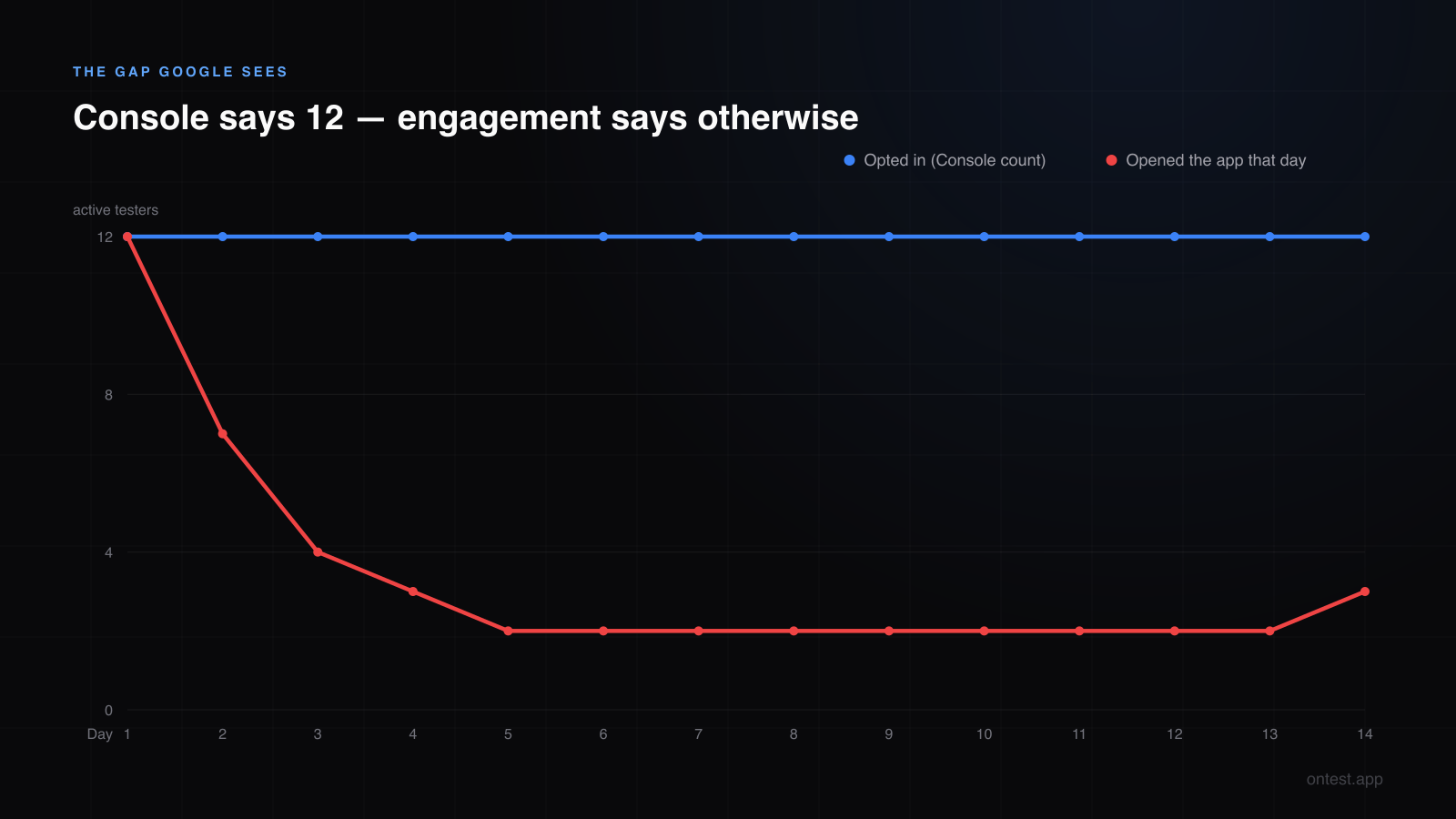
That chart is the story of most rejections: the opted-in line holds at 12 all fourteen days — Console looks perfect — while the "opened the app today" line decays to 2-3 by day 4. The written requirement: met. The review: "more testing required."
"Do My Testers Need to Open the App Every Day?"
The question every developer asks, so let me answer it directly.
Officially: no published rule says "daily."
Practically: daily opens are the baseline I recommend, for one reason — every rejected test I've seen shared one trait, and it was never "testers used it 5 days out of 7." It was testers who opted in and then produced near-zero activity. Meanwhile, I've never seen a test with genuine daily engagement across 12+ real devices get rejected for engagement reasons.
Session length matters less than you'd fear. On Motion Cues, sessions averaged around 90 seconds — appropriate for the app — and it passed. A meditation app and a QR scanner will have wildly different "normal" usage; Google appears to evaluate against plausibility, not a stopwatch. What it can't excuse is silence.
So the instruction to give your testers is simple: "Open the app once a day and actually poke around for a minute." Not "keep it installed." Not "test it when you can."
Why Your Count Is Stuck: The Four Level-1 Failures
Before worrying about engagement, plenty of tests fail to even register opt-ins. When a tester swears they've joined and your Console disagrees, it's almost always one of these:
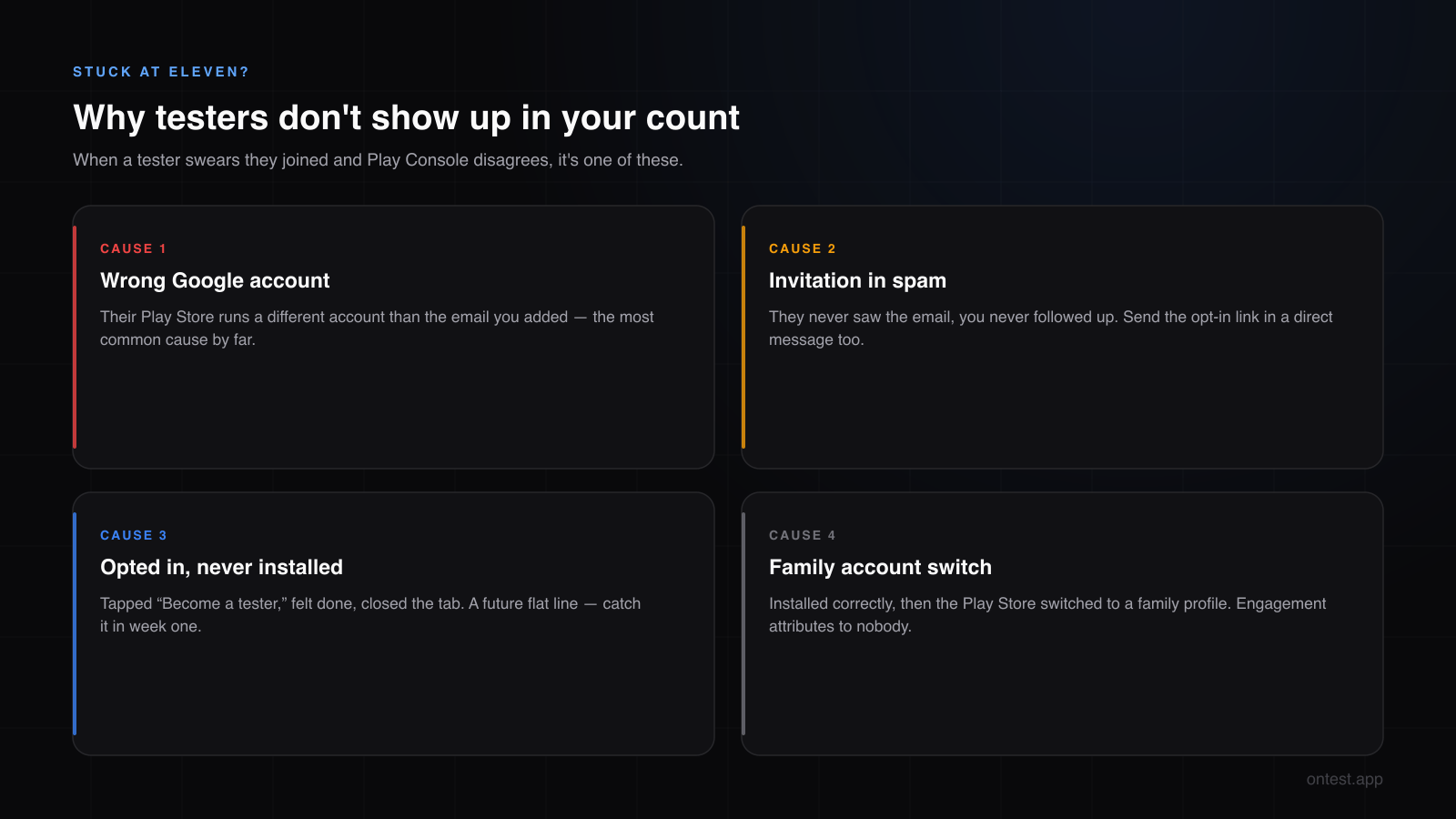
Wrong Google account. The Play Store on their phone runs a different account than the email you added. The single most common cause. Ask which account their Play Store uses before adding them — or use a Google Group so the account they join with is the account that counts.
The invitation went to spam. They never saw it, you never followed up, everyone assumed the other side was handled. Send the opt-in link directly in a message alongside the email invitation.
Opted in, never installed. They tapped "Become a tester," felt done, and closed the tab. The opt-in registered — but there's no install and never will be a session. These are your future flat lines; catch them in week one.
Family/secondary account switch. They installed correctly, then their phone's Play Store switched back to a family or work profile. The app updates under the wrong identity and the engagement attributes to nobody.
How to Check Which Level Your Testers Are Really At
One structured check per day, two minutes, in Play Console:
- Opted-in count on the closed testing track — is it 12+ and stable? A dip below 12 breaks the continuity window, which is a different (and louder) problem.
- Testing metrics / engagement indicators on the track — Play Console surfaces activity signals during your test in 2026. You're looking for the shape: is activity distributed across the window, or did it cliff after day 2?
- Android Vitals + install stats — installs that never produced a session, sessions that stopped, versions that never updated after your last release.
If 2-3 of your 12 are flat by day 4, act immediately: message them once, and if nothing changes within a day, replace them. A replacement opted in on day 5 contributes nine clean days; a corpse in your tester list contributes a red flag. This is exactly why recruiting 15-18 instead of 12 is standard advice — buffers exist for engagement failures, not just uninstalls.
Keeping 12 Testers Genuinely Active for 14 Days
What actually worked across my two launches and what I now watch work at scale:
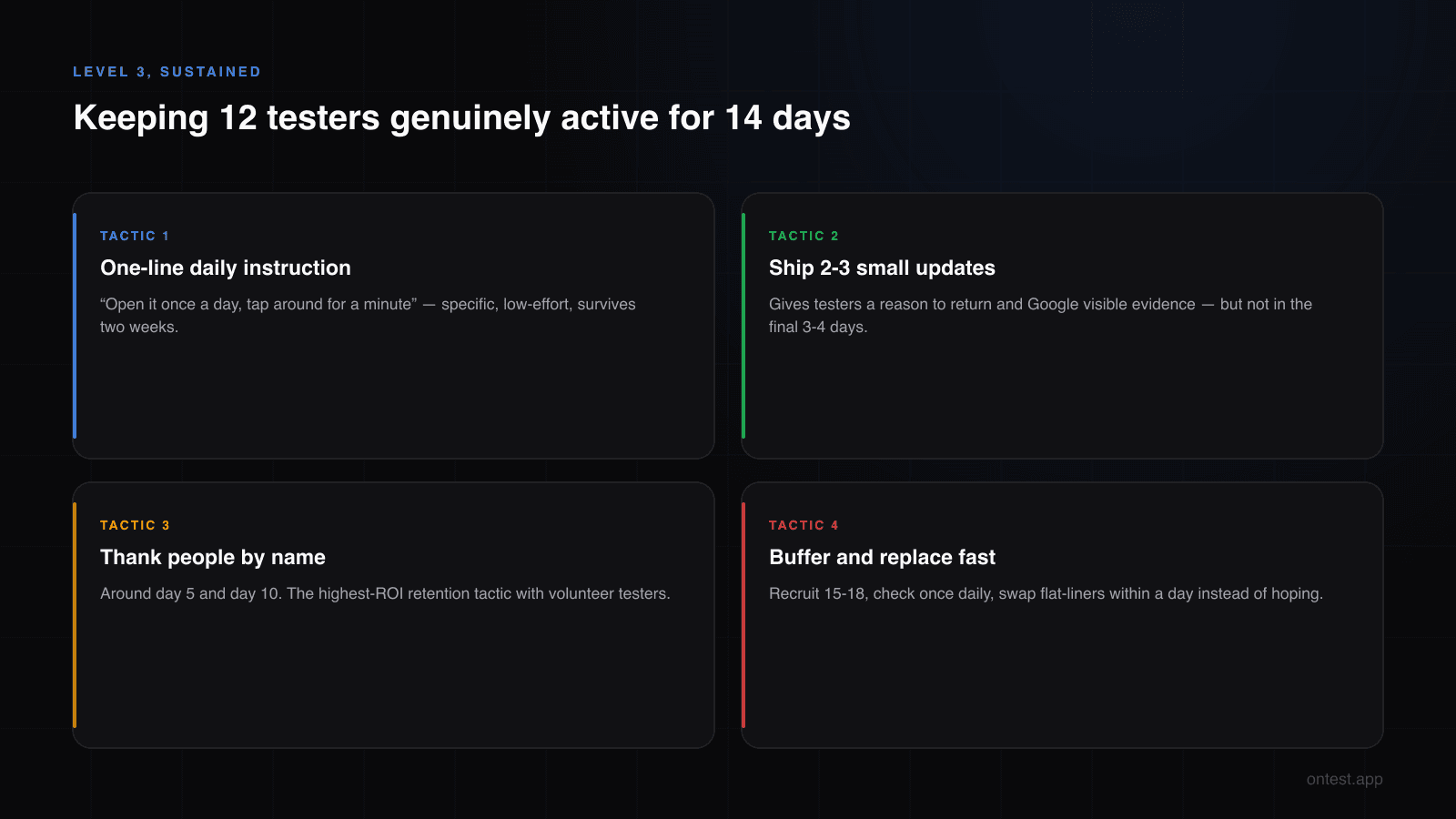
Give a one-line daily instruction, not a mission statement. "Open it once a day, tap around for a minute" survives two weeks. A paragraph about your testing philosophy doesn't.
Ship 2-3 small updates during the window. Updates give testers a reason to return and give Google visible evidence of a real test — just not in the final 3-4 days, when a missed update install creates its own gap.
Thank people by name, mid-test. The single highest-ROI retention tactic with volunteer testers. People stay consistent for someone who noticed.
Watch daily, but only once daily. Obsessive refreshing changes nothing — I did the every-two-hours version on Motion Cues and the twice-a-week version on Let it Rain, and only my anxiety differed.
Or remove the variable entirely. The honest limitation of volunteer testers is that their incentive runs out around day 3, while your requirement runs to day 14. onTest testers are compensated for daily engagement — not for opting in — so all three levels hold for the full window: 12 opt-ins within hours, real installs on premium Android 14+ devices, and daily usage you can verify with timestamped screenshots from every device. One flat package: 12 testers, 15 days (the 14 Google requires plus 1 bonus day), $19.99.
Frequently Asked Questions
What does "opted in" mean for Google Play closed testing?
The tester opened your opt-in link while signed into the Google account you added to the tester list, and clicked "Become a tester." That single event is what Play Console counts. It doesn't require installing or opening the app — which is exactly why opt-in count alone doesn't predict approval.
Does Google require testers to use the app every day?
There's no published daily-use rule, but rejected tests consistently involve testers with near-zero activity, and consistently engaged tests pass. Regular daily opens with a minute of real usage is the practical baseline that keeps you out of "insufficient testing engagement" territory.
My tester opted in but doesn't show in Play Console — why?
Almost always a wrong Google account: their phone's Play Store uses a different account than the email you added. Other causes: the invitation landed in spam, or your tester list is saved but not activated on the track. The Console count is authoritative — troubleshoot until it moves.
Do testers count if they uninstall the app during the 14 days?
Uninstalling isn't the same as opting out — but it ends that tester's engagement, and an engagement gap is what reviews flag. Treat an uninstall as a lost tester: get a replacement opted in quickly, and keep your total at 12+ so the continuity window stays intact.
Can 12 opt-ins with low usage still pass production access?
Sometimes — Google's review isn't fully deterministic. But it's the most common profile behind "more testing required" rejections in 2026. Meeting the opt-in requirement unlocks the application; the engagement data decides the outcome. Betting a launch on low engagement passing is how developers lose an extra month.
How does Google know whether a tester actually used the app?
Google Play Services sees session events from every install: frequency, duration, and distribution across the 14 days, plus device-level signals like Play Integrity attestation. That's how install-and-forget testers, emulator farms, and day-13 panic engagement all produce distinguishable — and flaggable — patterns.
How many of my 12 testers can be inactive before it's a problem?
There's no published tolerance, but from observed outcomes: one or two quiet testers among 12+ genuinely active ones rarely sinks a test, while 4+ flat lines is the classic rejection profile. The safer frame: recruit 15-18 so that replacing a flat-liner never drops you below 12.
Is session length or session frequency more important?
Frequency, clearly. A 60-90 second daily session across 14 days produces a healthy pattern; a single 30-minute session on day 1 followed by silence does not. Length only needs to be plausible for your app's category.
What should I tell my testers to do, exactly?
One line: "Open the app once a day and use it for a minute or two — tap through a few screens." Specific, low-effort, and it generates precisely the signal Google evaluates. Add a personal thank-you around day 5 and day 10; consistency improves measurably.
Related guides
- Google Play's 12 Testers 14 Days Requirement Explained — The rule these three levels live inside, clause by clause.
- How to Set Up Google Play Closed Testing: Step-by-Step — Getting to Level 1 correctly in the first place.
- Why Real Human Testers on Real Devices Matter — The engagement signals behind Level 3, in depth.
- Closed Testing Rejected? 5 Reasons Why — What happens when the gap between levels goes unnoticed until day 15.
- How to Get 12 Testers: 7 Methods Compared — Recruitment channels ranked by how likely their testers are to reach Level 3.
- Free Testers vs Paid Testers — Why free-route testers decay to Level 1 by week two, and what to do about it.
- Production Access Questionnaire: 10 Questions Answered — Where your engagement data gets cross-examined.
Not sure which level your testers are at right now? Email me a screenshot of your track's metrics at hello@ontest.app — I'll tell you honestly whether you're looking at a pass or a rebuild.
Ready to ship your Android app?
Get 12 real testers for Google Play Closed Testing in 14 days.
Get Started