Google Play Closed Testing Rejected? 5 Reasons Why and Exactly What to Do Next
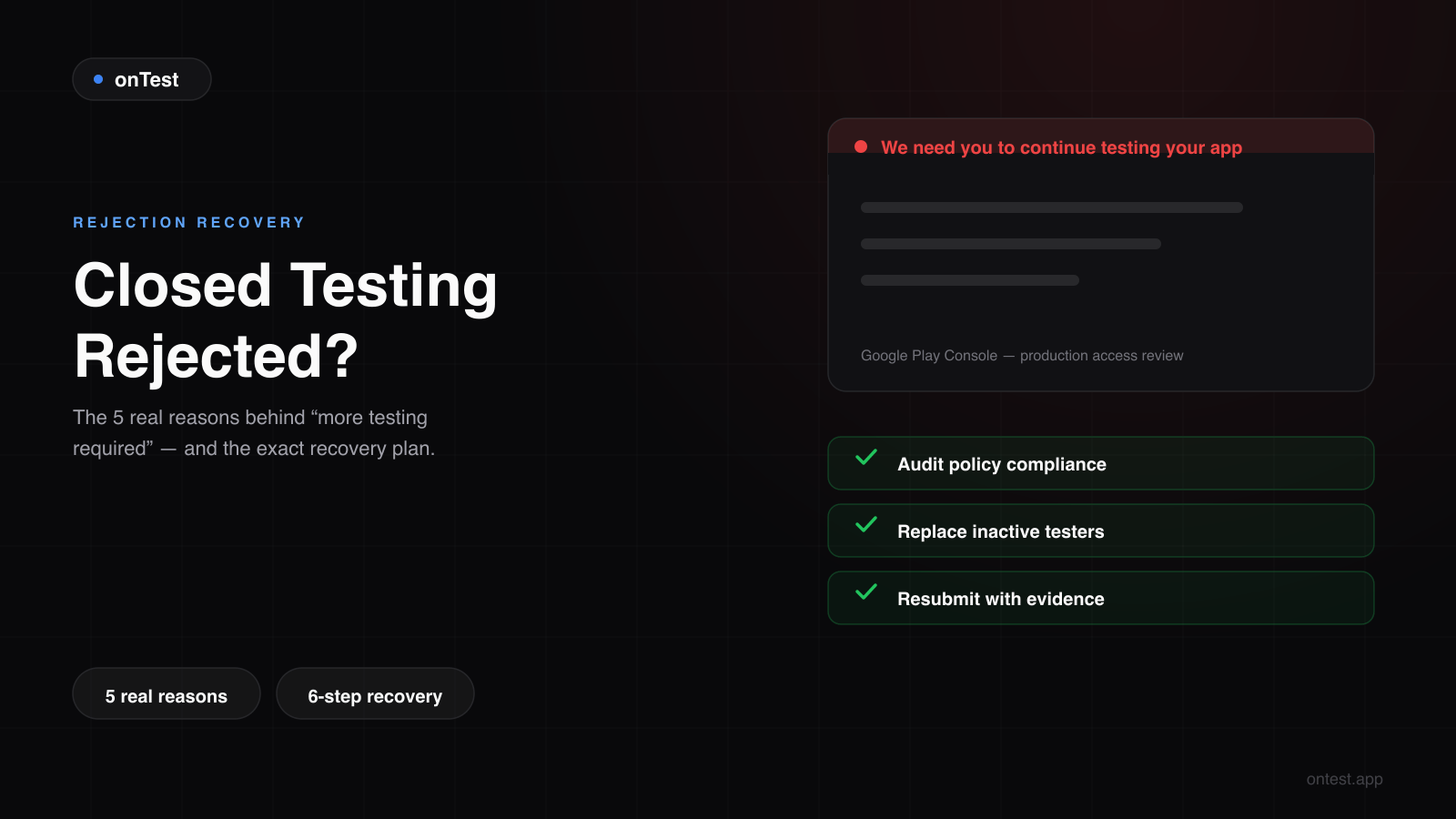
Your closed testing got rejected. Google says 'more testing required' but doesn't explain why. Here are the 5 real reasons apps get rejected during closed testing — and the step-by-step recovery plan from someone who nearly lost his own app to it.
I almost lost Motion Cues to a rejection.
Day 14 of closed testing. Twelve testers active — or so I thought. I hit "Apply for production access," filled out the questionnaire, and submitted. Then waited four days.
Monday morning, the email:
"We need you to continue testing your app with real testers."
Three months of hunting testers, babysitting WhatsApp groups, paying a Fiverr seller who delivered nothing — and Google was telling me it wasn't enough.
I got lucky. My rejection was a soft one — "more testing required," not "app removed." I could fix things and resubmit. But I spent two hours convinced the entire process was starting from scratch.
Since launching onTest, I've heard this story from dozens of developers. Some land on the site the same day they get the rejection email. They all ask the same two questions:
"Why did Google reject my closed testing?" and "What do I do now?"
This post answers both. (If you're not sure what the underlying rule even requires, start with the 12 testers 14 days requirement explained — most rejections trace back to one of its clauses.)
The 5 Real Reasons Google Rejects Your Closed Testing
Google's rejection messages are frustratingly vague. "More testing required." "Insufficient testing engagement." "Continue testing with real testers." No details. No specifics.
After going through one rejection myself, helping dozens of developers recover from theirs, and spending too many hours on r/androiddev threads — the real reasons always fall into five categories.
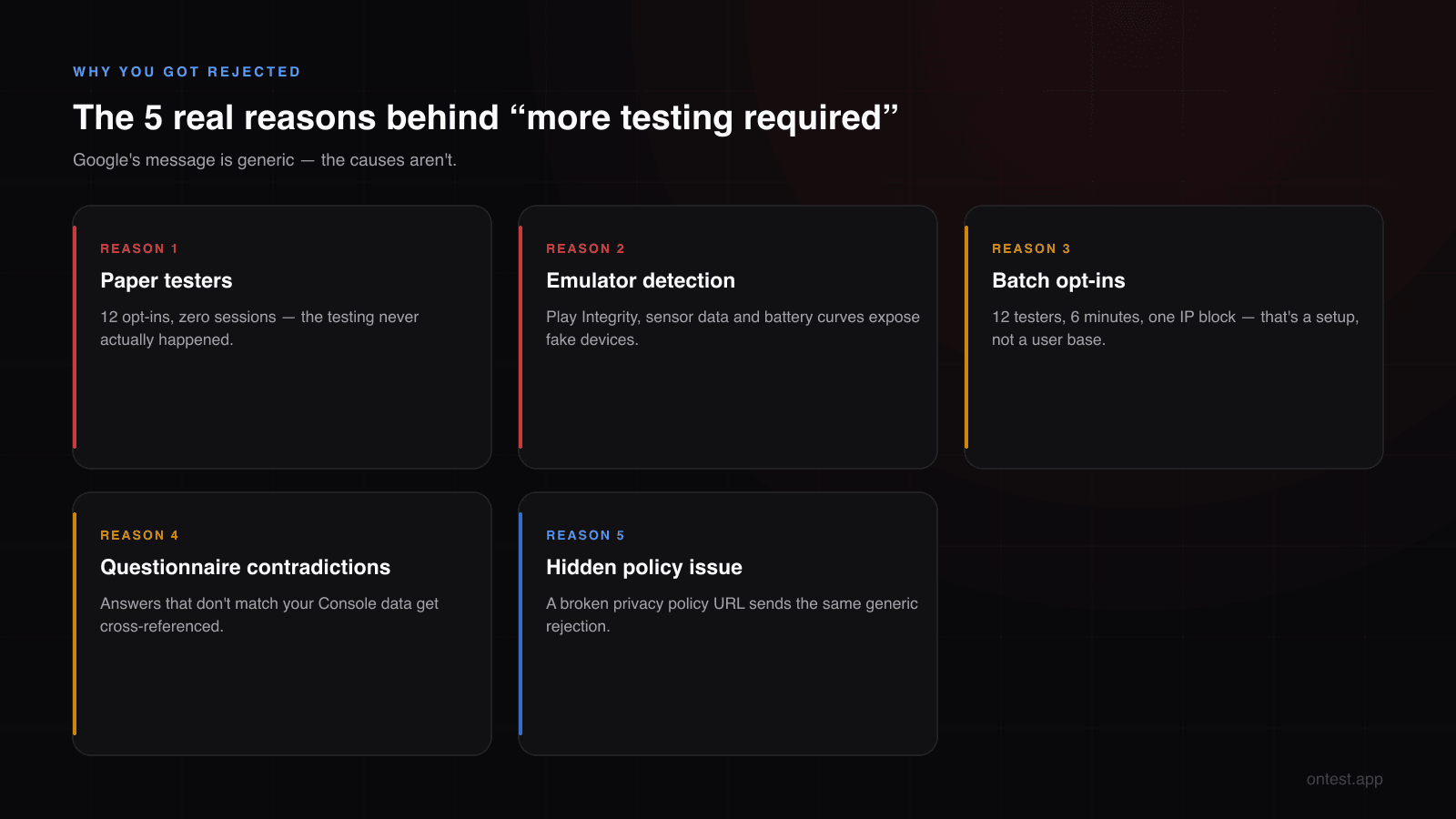
Reason 1: Your Testers Existed on Paper But Never Used the App
The most common reason. And the one nobody expects.
You added 12 emails. They all opted in. 14 days passed. You submitted. Rejected.
What happened: The testers installed your app and never opened it. Or they opened it once on day 1, and Google saw nothing for the next 13 days.
Google doesn't just count opt-ins. It checks session frequency, session duration, and multi-day engagement patterns. Twelve testers who collectively produced less activity than a single real user would in a week? The system flags it.
This is the Fiverr problem. A seller delivers 12 Gmail addresses. The people behind those emails click the opt-in link — maybe. Install the app — maybe. Open it once — maybe. After that? Silence. The seller was paid for email delivery, not engagement.
I went through exactly this with Motion Cues. Paid $15 on Fiverr, got 12 addresses, two people actually opted in, zero opened the app. That $15 bought me nothing except a two-week delay.
Reason 2: Emulator or Fake Device Detection
Google Play Services runs integrity checks on every device in your testing pool. It looks for:
- x86 architecture pretending to be ARM — the classic emulator fingerprint
- Zero battery decay over 14 days — physically impossible on real hardware
- Missing sensor data — no accelerometer, no gyroscope
- Failed Play Integrity attestation — the check that separates real Android from everything else
If a few of your "testers" are running on emulators or cloud-hosted Android instances, Google flags the entire test as "irregular testing activity."
This has gotten much stricter in 2026. Google's detection was already good in 2025 — now it catches things like emulators with spoofed battery levels that drain "too perfectly" (real batteries don't follow linear curves) and devices with identical build fingerprints across what should be different phones.
The cheap services that route through emulator farms? They worked in 2023. Not anymore.
Reason 3: Everyone Opted In at the Same Time from the Same Place
Twelve testers. All opted in within 6 minutes. All from the same IP block. All on the same Android version.
That's not a user base. That's a setup.
Google's algorithm expects organic opt-in patterns. Real testers join at different times — someone sees the link in the morning, another after lunch, another late at night. They're on different networks, different devices, in different cities.
Twelve simultaneous opt-ins from one location look like a single person managing 12 phones. Which is often exactly what cheap testing services do.
Reason 4: Your Questionnaire Answers Contradicted Your Console Data
This one is subtle. Most developers don't realize it's happening.
After 14 days, you fill out the production access questionnaire. Question 3 asks about tester engagement and feedback. Question 7 asks what changes you made based on testing.
If Q3 says "testers provided great feedback, three bugs were found and fixed" but your Play Console version history shows zero updates during the 14-day window — the reviewer sees the contradiction.
If you write "engagement was consistent across all 14 days" but Google's own metrics show 8 of your 12 testers went inactive after day 3 — the reviewer sees that too.
The questionnaire is not a formality. It's a cross-reference. The reviewer reads your answers while looking at your Console data. If the story doesn't match, you get "more testing required."
Reason 5: A Policy Issue Disguised as a Testing Rejection
Sometimes the rejection isn't about testing at all.
A developer reached out to us last month. Solid app, 12 real testers, 14 clean days of engagement. Rejected. "More testing required." He ran another 7 days, resubmitted. Rejected again.
Turned out his privacy policy URL was returning a 404. The page had worked during setup but his hosting expired mid-test. Google flagged it as a policy issue but sent the same generic "more testing required" message.
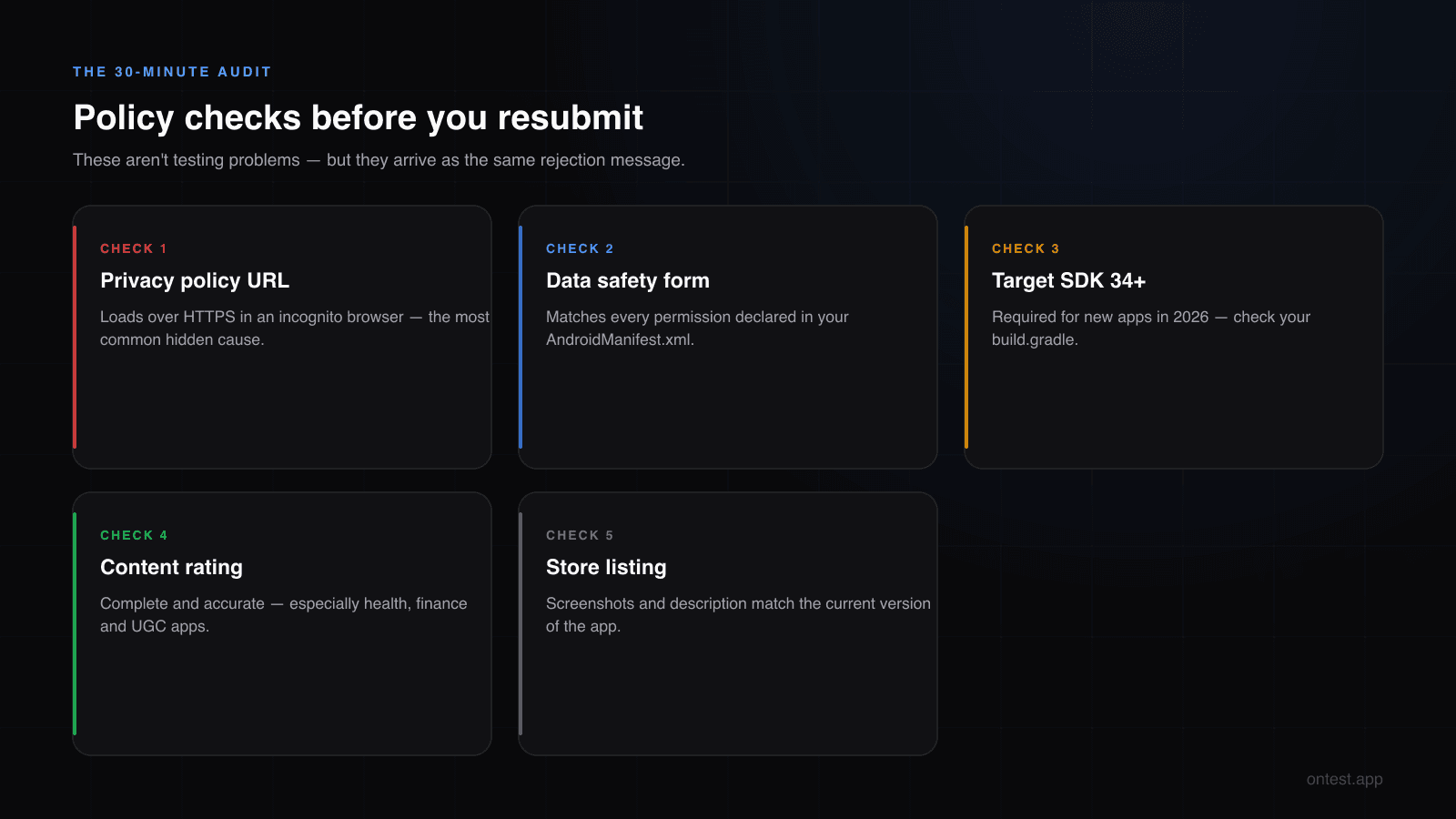
Other policy triggers that show up as testing rejections:
- Broken privacy policy URL — the single most common hidden cause
- Data safety form inconsistency — app requests location, data safety says "no location collected"
- Target SDK too old — Google requires targetSdkVersion 34+ for new apps in 2026
- Content rating incomplete — especially for health, finance, or user-generated content apps
- Store listing mismatch — screenshots that show features the app doesn't have
These aren't testing problems. But Google uses the same rejection pipeline for all of them, and the message doesn't distinguish between "your testers were fake" and "your privacy policy is broken."
You Just Got Rejected. Now What?
If you're reading this with a rejection email open in another tab, here's the plan. In order.
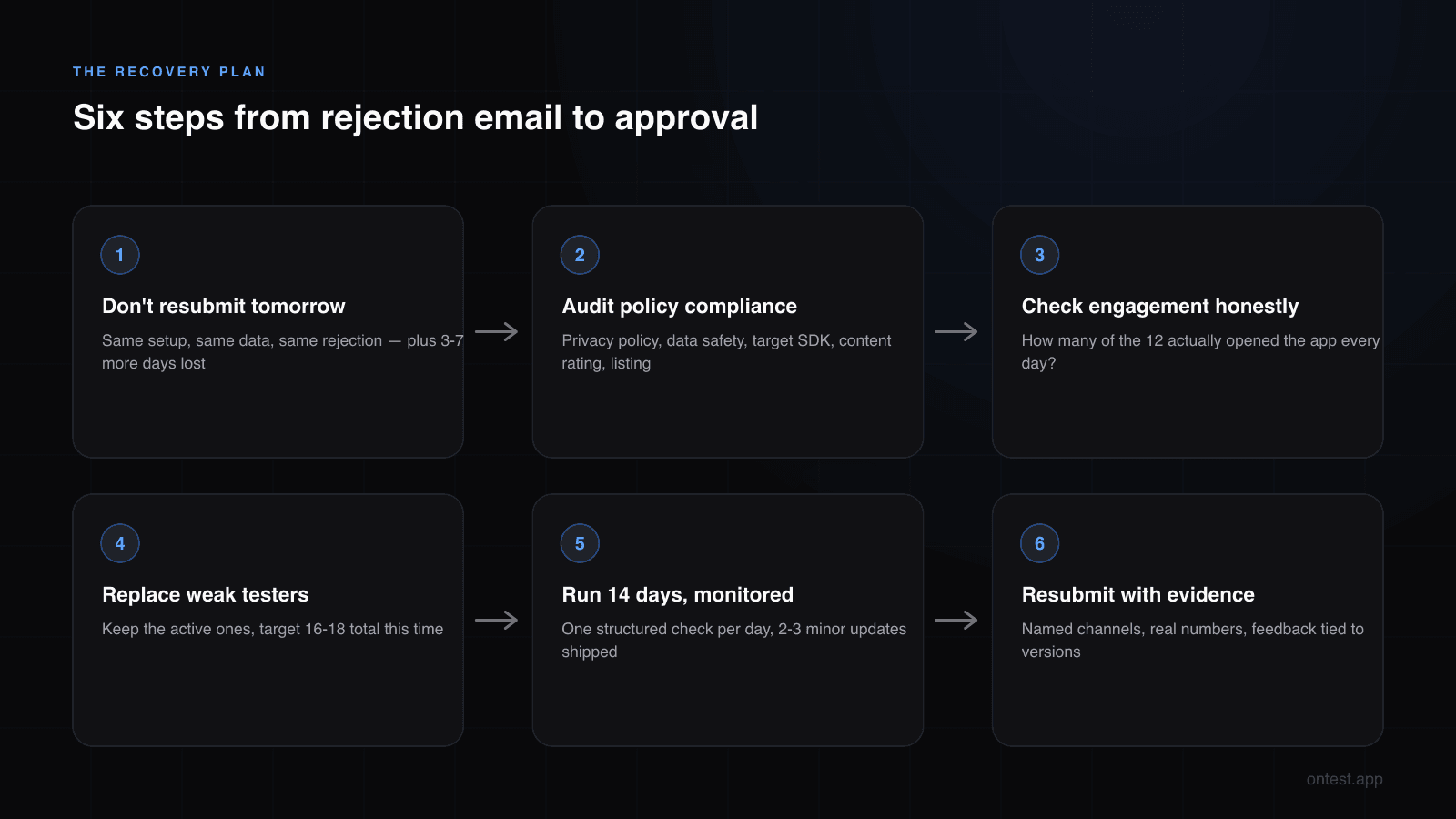
Step 1: Don't Panic. Don't Resubmit Tomorrow.
The worst thing you can do is hit "Apply for production" again the next day with the same setup. The reviewer will see the same data, the same problems — and reject you again. Each failed submission adds 3-7 business days to your timeline (here's how review times actually behave in 2026).
Take a breath. Fix the problems first.
Step 2: Audit Your Policy Compliance
Before you even look at testers, check the boring stuff:
- Privacy policy URL: Open it in an incognito browser. Does it load? Is it HTTPS?
- Data safety form: Compare every permission in your AndroidManifest.xml against what the data safety form declares. Any mismatch is a flag.
- Target SDK: Open your build.gradle — is targetSdkVersion 34 or higher?
- Content rating: Complete and accurate?
- Store listing: Do screenshots show the current version? Does the description match?
Thirty minutes of work. Eliminates an entire category of rejections.
Step 3: Check Your Tester Engagement Honestly
Open Play Console. Go to your closed testing track. Look at the data.
- How many of the 12 testers opened the app every day for 14 days?
- How many opened it once and disappeared?
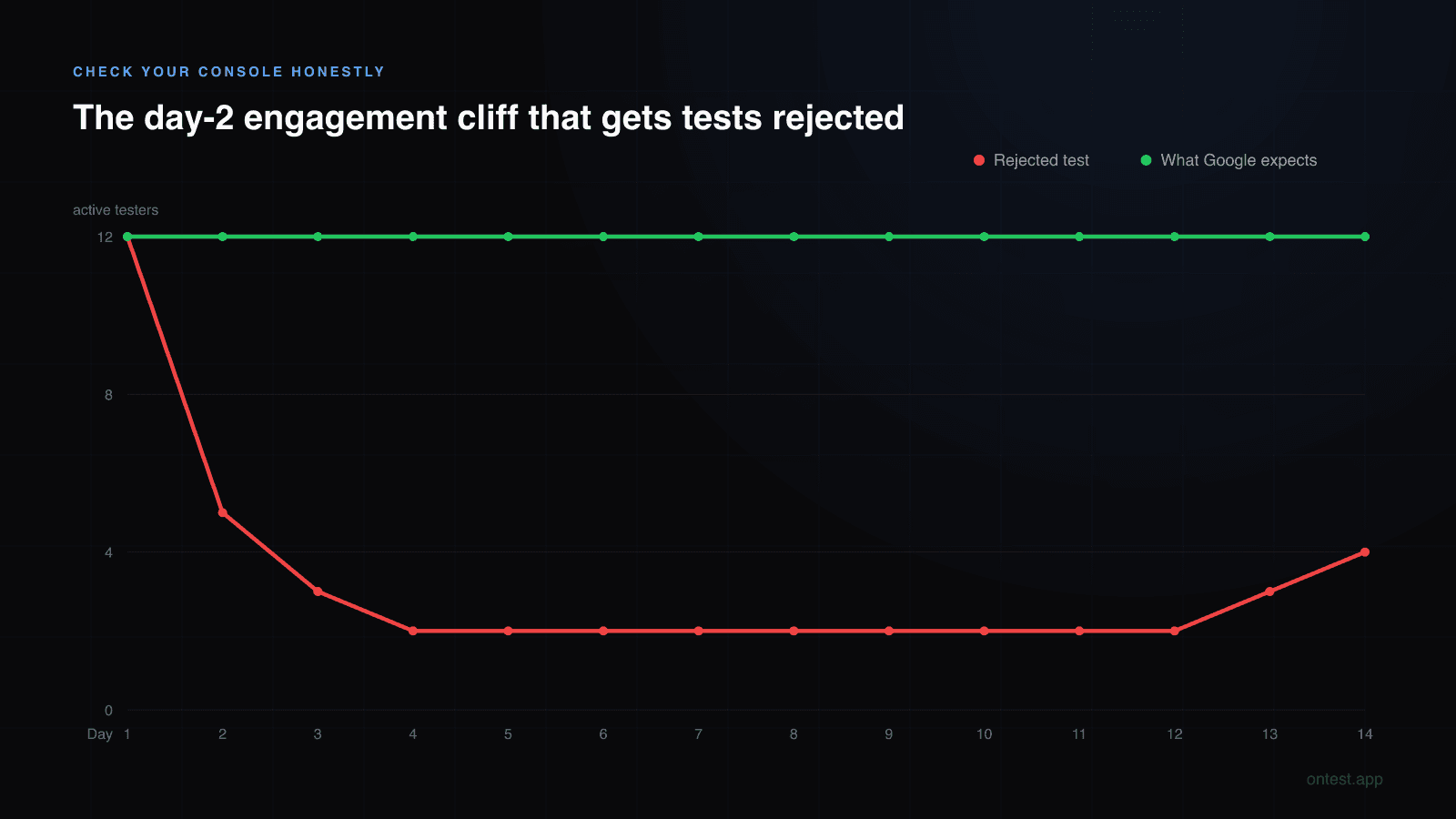
- Is there a cliff after day 1 or day 2?
If more than 2-3 testers showed flat engagement lines, that's probably why you were rejected. Google wants consistent daily activity across all 14 days, not a day-1 spike followed by radio silence. The distinction that matters here is opt-in vs install vs daily usage — the three levels of an "active" tester; Console counts the first, Google's review evaluates the third.
Step 4: Replace the Weak Testers
You don't have to start from zero. Keep the testers who were genuinely active and replace the silent ones.
Add 3-5 extra testers above the 12 minimum — a buffer absorbs future drop-offs. If you had 12 and 4 were dead weight, target 16-18 total this time.
The hard question is where these replacements come from. It's the same problem you had the first time, except now you're 14+ days behind and frustrated. I compared all seven ways to find testers — with honest engagement reliability for each — so you don't repeat the channel that failed you.
Step 5: Run Another 14 Days — With Monitoring
Once your new testers are opted in:
- Check engagement daily. Not Play Console every 2 hours — that's anxiety, not monitoring. One structured check per day.
- Push 2-3 minor updates during the window. Even small fixes count. Google sees version activity as evidence of real testing.
- Write everything down. What feedback came in, what you changed, which version. You'll need this for the resubmission.
Step 6: Resubmit with Stronger Questionnaire Answers
When the 14 days are up, fill the questionnaire differently. Be more specific:
- Name your tester channels
- Give real numbers ("12 of 16 testers active across all 14 days")
- List feedback items tied to version numbers
- Make Q3 feedback and Q7 fixes tell the same story
Second-time submissions get a conditional Question 9: "Why are you ready this time?" Answer it directly — explain what changed.
How to Avoid Rejection on the First Try
Haven't submitted yet? Starting closed testing on a new app? Here's how to get it right without going through the cycle above.
Use Real People on Real Devices
"Real testers" means people who use your app on their personal phone — the one they carry around, charge every night, use for WhatsApp and checking the weather. Not a drawer phone. Not an emulator. Not a secondary device collecting dust on a desk.
A real person on their daily phone generates the engagement pattern Google expects: sessions at normal times, real sensor data, real battery cycles, real network switches between WiFi and cellular.
Recruit More Than 12
Target 15-18 testers. Someone changes phones. Someone forgets. Someone goes on vacation for a week.
Recruit exactly 12, lose 1 on day 9, and your entire timeline is at risk. Recruit 16, lose 2, and you still have 14 active. Comfortable margin.
Start Recruiting Before the Code Is Done
When your app is 80% complete, begin the tester search. Finding reliable testers takes days or weeks. Let it run in parallel with your final code polish.
If I'd done this with Motion Cues, I would've saved a month. I didn't know better then.
Push Updates During the 14 Days
Don't upload v1.0.0 on day 1 and leave it untouched. Ship 2-3 minor updates:
- Fix a small UI issue on day 4
- Adjust a color or icon on day 8
- Fix a minor bug on day 11
Version updates signal that you're actually using the test period for testing. An app that ships zero updates across 14 supposed days of active testing doesn't look right.
Prepare Your Questionnaire Answers in Advance
Don't improvise on day 15. Keep a running document during the 14 days:
- Who are your testers and how did you find them?
- What feedback came in?
- What did you change and in which version?
- What's your crash-free rate?
When the form appears, you'll already have everything.
Get Your Policy Compliance Right Before Day 1
Before the 14-day clock starts:
- Privacy policy URL live and accessible
- Data safety form matches your manifest
- Target SDK 34+
- Content rating complete
- Store listing accurate
Zero cost, 30 minutes, and it eliminates an entire category of "why was I rejected?" confusion.
When DIY Isn't Worth the Risk
I built Motion Cues and Let it Rain the hard way. Both took months. The first one nearly died after the rejection scare.
I built onTest because the hard way is unnecessarily hard.
Here's what changes with a professional testing service:
Rejection from fake testers: gone. onTest uses real people on real phones — Samsung Galaxy S24, Pixel 8, Xiaomi Mi 14, Nothing Phone 2, OnePlus 12, and more. All running Android 14+, non-rooted, Play Integrity passing. No emulators. No fake accounts.
Rejection from low engagement: gone. Testers use your app daily for the full 14 days. You see their activity on a live dashboard with daily screenshots from every device. Not "trust us" — actual visual proof.
Rejection from suspicious opt-in patterns: gone. Testers are distributed across different locations, devices, and Android versions. The pattern looks organic because it is.
Questionnaire answers write themselves. After 14 days of tracked engagement across 12+ real devices, you have everything Q3 and Q7 need: real numbers, real feedback, real update history, real evidence.
One flat package: 12 testers, 15 days (the 14 Google requires plus 1 bonus day), $19.99 total, backed by a 3-day money-back guarantee. Barely more than the Fiverr gig that got me zero working testers.
Already been rejected? Add the Expert Analysis for $29.99 — I'll personally review your app for rejection-risk patterns before you resubmit. I've been shipping Android apps for 10+ years. I know what the reviewers look for.
Quick Reference: Rejection Reasons and Fixes
| Rejection Signal | What Google Saw | Fix |
|---|---|---|
| "More testing required" + low engagement | Testers opted in but never opened the app | Replace inactive testers with real daily users |
| "Irregular testing activity" | Emulators or fake devices in the pool | Use verified real devices only |
| "Continue testing with real testers" | Batch opt-ins from one location/network | Use testers on separate networks and locations |
| "More testing required" after good testing | Hidden policy issue (privacy policy, data safety, SDK) | Audit all policy compliance before resubmitting |
| Repeated rejections | Questionnaire answers don't match Console data | Align answers with real metrics — be specific |
Frequently Asked Questions
Why does Google reject closed testing even with 12 testers for 14 days?
Having 12 opt-ins for 14 days is the minimum threshold, not a guarantee. Google also evaluates engagement quality — whether testers actually used the app daily, whether devices are real, and whether your questionnaire answers match the data. "12 testers opted in" and "12 testers actively using your app every day" are very different things.
What does "more testing required" mean on Google Play?
It's Google's generic rejection message for production access. It can mean your testers weren't engaged, your devices were flagged as emulators, your policy compliance has issues, or your questionnaire answers were too vague. Google doesn't specify which — you need to check all possibilities yourself.
Can I resubmit immediately after a closed testing rejection?
Technically yes. Practically, don't. Resubmitting with the same setup will produce the same result. Fix the root cause first. Each failed submission adds 3-7 business days of review time to your timeline.
How long does it take to recover from a closed testing rejection?
If the issue was policy compliance (broken privacy policy, wrong SDK target), you can fix it in a day and wait 3-7 days for review. If the issue was tester quality, you need another full 14-day window — so 14 days minimum plus 3-7 days review. Total recovery: 1-4 weeks depending on the cause.
Does using a paid testing service guarantee Google will approve my app?
No honest service can force Google's decision. Google evaluates factors beyond testing — store listing, policy compliance, content rating. What a reliable testing service eliminates is the testing itself as a rejection cause: real devices, real engagement, daily activity for 14 days. That removes the number one reason apps get rejected. What a service can honestly do is back the outcome with money: onTest's approved-or-your-money-back guarantee means a free re-run if Google says no, and a full refund if it still doesn't pass.
Is it worth paying for professional testers after already getting rejected?
If your rejection was caused by inactive or fake testers, absolutely. You're paying to not repeat the same mistake for another 14+ wasted days. At $19.99 for 12 real testers, it costs about the same as a Fiverr gig and saves weeks of recruitment headaches. Developers who come to onTest after a rejection are actually our most common customer type.
Can Google tell if I used a paid testing service?
Google doesn't prohibit paid services. The questionnaire even lists "paid testing service" as a valid recruitment channel. What matters is whether the testers are real and engaged — not how you found them. Being upfront about it is always better than being vague.
What's the difference between a soft rejection and a hard rejection?
"More testing required" is a soft rejection — fixable. A hard rejection means app removal or account suspension, reserved for fraud, malware, or serious policy violations. Closed testing rejections for engagement problems are nearly always soft.
How many rejections before Google suspends my account?
No published limit. Developers on r/androiddev report 3-5 soft rejections without account consequences. But repeated submissions with the same inactive testers or the same device fingerprints can trigger additional scrutiny. Fix the actual problem instead of resubmitting and hoping.
Related guides
- How to Get 12 Testers: 7 Methods Compared — Find replacement testers through a channel that won't fail you twice.
- What Counts as an "Active" Tester? — The opt-in vs engagement gap behind most of these rejections.
- Google Play's 12 Testers 14 Days Requirement Explained — The rule your rejection traces back to, clause by clause.
- Google Play Production Access Questionnaire: The 10 Questions Answered (2026 Templates) — Copy-paste templates for the form Google asks after your 14 days.
- Google Play Closed Testing Review Time in 2026 — What to expect from the resubmission review queue.
- How Long Does Google Play Closed Testing Actually Take? (2026 Real Timeline) — The full timeline from setup to approval.
- Why Real Human Testers on Premium Devices Matter — Why fake testers get flagged and how Google detects them.
- My Two Android Apps, Three Months Lost, and Why I Built onTest — The founder story.
Got rejected and not sure why? Email me at hello@ontest.app — I'll look at your Play Console setup and tell you what I see. No charge, no pitch.
Ready to ship your Android app?
Get 12 real testers for Google Play Closed Testing in 14 days.
Get Started